Vibe Coder · Unit 16: AI Agents · Lesson 3 of 9
Agents in Langflow
Langflow is an open source visual builder for AI apps. Build the same agent as a flow of components, test it in the Playground, and call it from your product through its API.
Read the short notes and pictures.Do everything inside a blue frame.
A second way to draw an agent
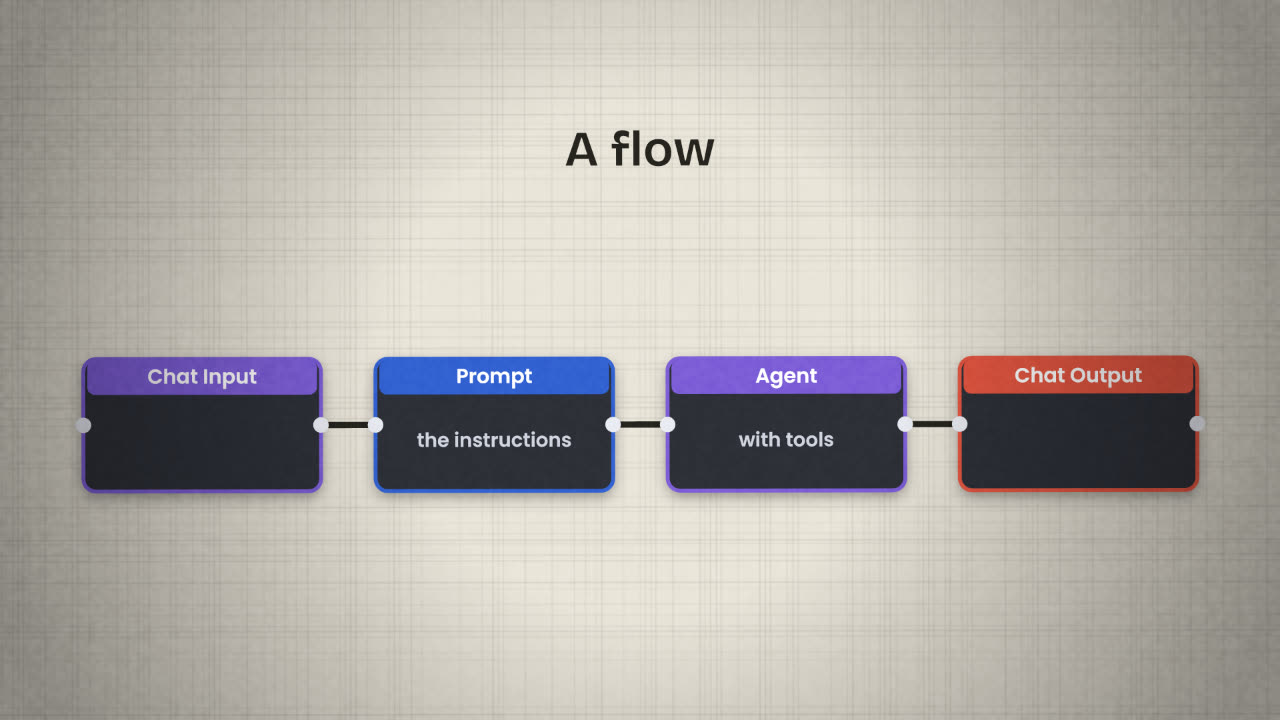
Langflow is an open source, Python-based tool for building AI applications visually. Where n8n starts from "something happened, run these steps", Langflow starts from the model: a prompt, a model, tools and memory, joined on a canvas. It does not tie you to one model provider or one vector store.
Building the same agent in two tools is not wasted effort. You learn which parts are the idea (instructions, tools, memory) and which are just the tool’s way of showing it.
The words
Component
One step in the app: an input, a prompt, a model, a tool, an output.
Flow
Components joined together. A flow is your application.
Playground
A chat window for testing the flow as you build, including running a single component alone.
Agent component
The component that runs the agent loop. Tools plug into it.
Getting it
Install it
Langflow Desktop is the simplest route. There are also install instructions for a terminal and for containers.
Start from a template
Pick a basic agent template so the wiring is done for you.
Add your model key
In the model component. Keep it out of screenshots.
Open the Playground
And ask a question.
Tools
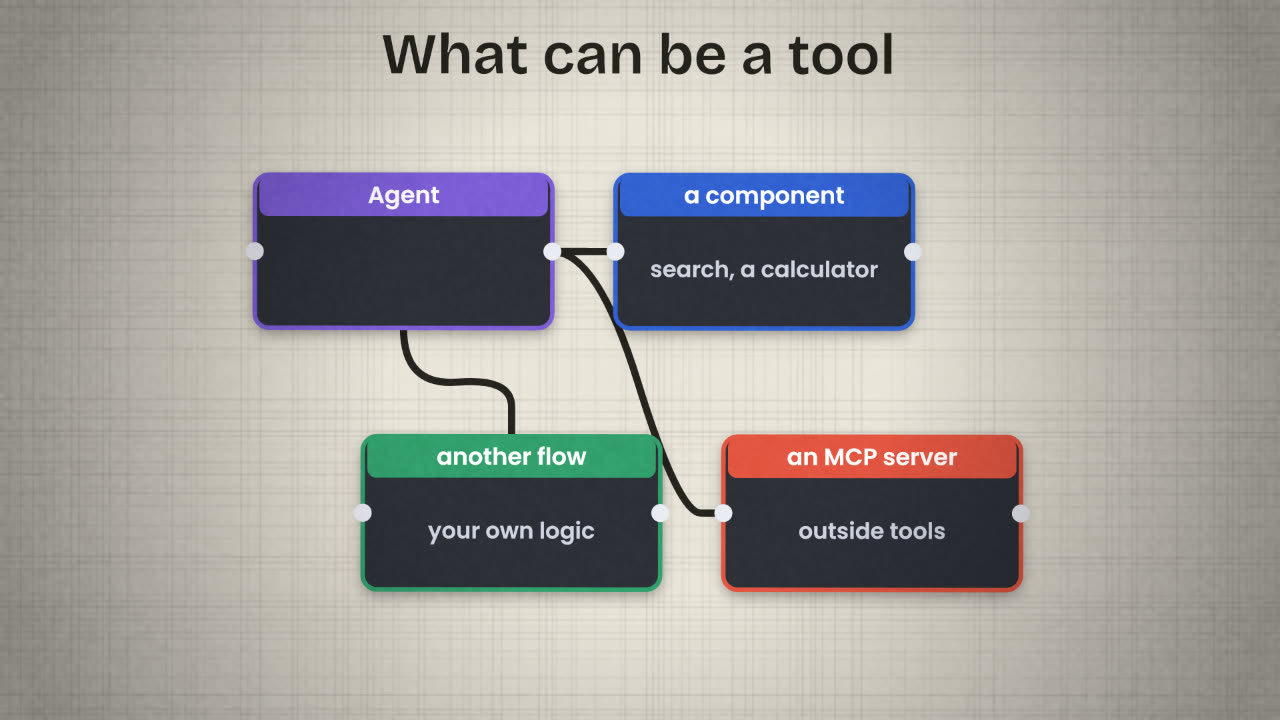
In Langflow, components and whole flows can be used as tools by an agent. It also works with the Model Context Protocol in both directions: it can connect to outside MCP servers as a client, and it can expose your flows as an MCP server for other AI apps to use.
Calling it from your product
A flow you have built can be run from your own code through the Langflow API: your app sends the user’s message, Langflow runs the flow, and the answer comes back. For that to work for real users, Langflow has to be running somewhere reachable, not only on your laptop.
n8n fits when
The job starts from an event.
Most steps are fixed.
You need many app integrations.
The agent is one step among many.
Langflow fits when
The job is mostly the model.
You want to try prompts and models.
You need retrieval and tools together.
You are comfortable hosting it.
You built the same invoice agent in n8n and in Langflow, and it behaves differently in each. List three things you would compare to find out why.
Rebuild your agent in Langflow
Install Langflow, start from an agent template, and rebuild your agent with the same instructions and at least one tool. Run your ten test questions in the Playground and compare the answers with the n8n version.
Done when
Export the flow as a file. It goes in your repository beside the n8n workflow.
Keep these
- Langflow builds AI apps from components on a canvas.
- Components, flows and MCP servers can be tools.
- A finished flow is called through the Langflow API.