Vibe Coder · Unit 11: APIs · Lesson 13 of 14
Fast models on Groq
Not every AI feature needs the biggest model. Groq serves open models very fast through an API that looks like OpenAI’s, so trying it is a two-line change.
Read the short notes and pictures.Do everything inside a blue frame.
Speed is a feature
You added an AI feature with Claude and with OpenAI. Both are strong, and for many jobs stronger than you need. A feature that tags a support ticket, suggests the next word or classifies an expense should feel instant. For those, a smaller model served quickly is the better product decision.
Open models and who hosts them
Open model
A model whose weights are published. Anyone can run it, on their own hardware or a host’s.
Inference
Running a model to get an answer, as opposed to training it.
Inference provider
A company that runs open models for you and charges per token.
Groq
A provider whose documentation describes it simply as fast LLM inference, OpenAI-compatible.
A two-line change
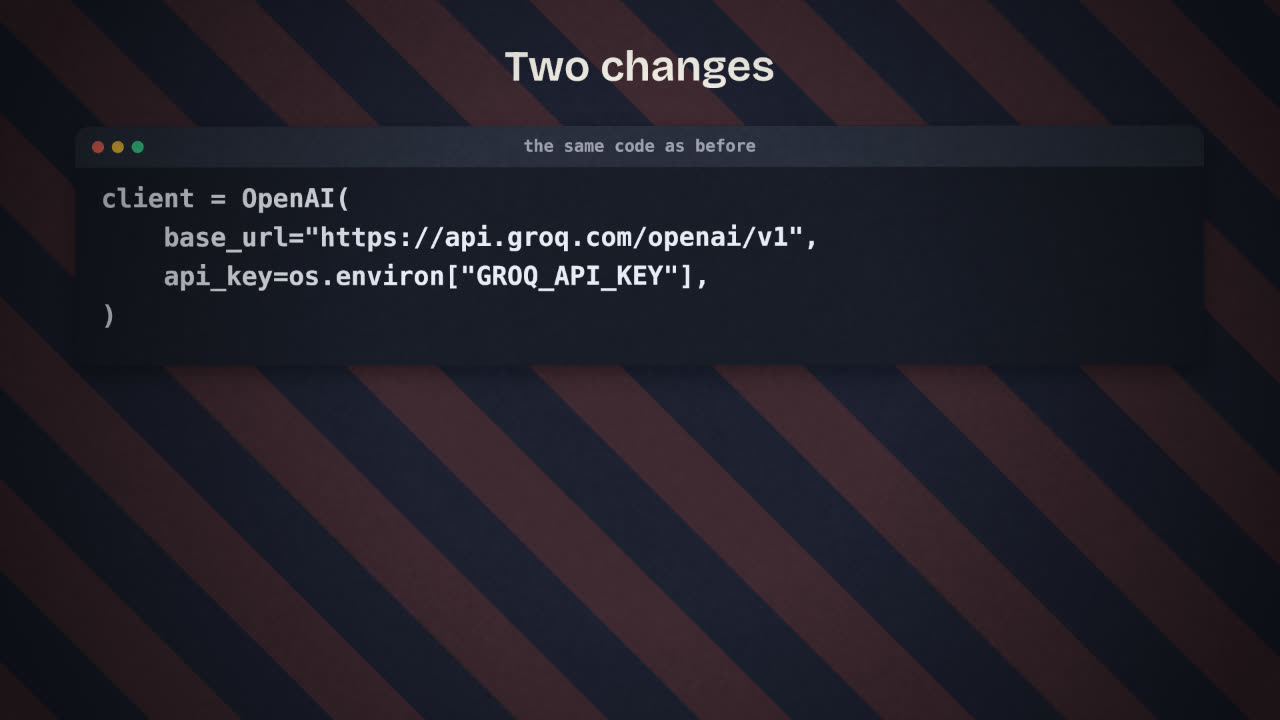
"OpenAI-compatible" means the API accepts requests in the same shape as OpenAI’s. If your model call lives in one place, as the APIs unit recommended, switching provider means changing the address, the key and the model name.
Before
client = OpenAI()

# model: an OpenAI model
After
client = OpenAI(
    base_url="https://api.groq.com/openai/v1",
    api_key=os.environ["GROQ_API_KEY"],
)

# model: one from Groq's model listChoosing per job
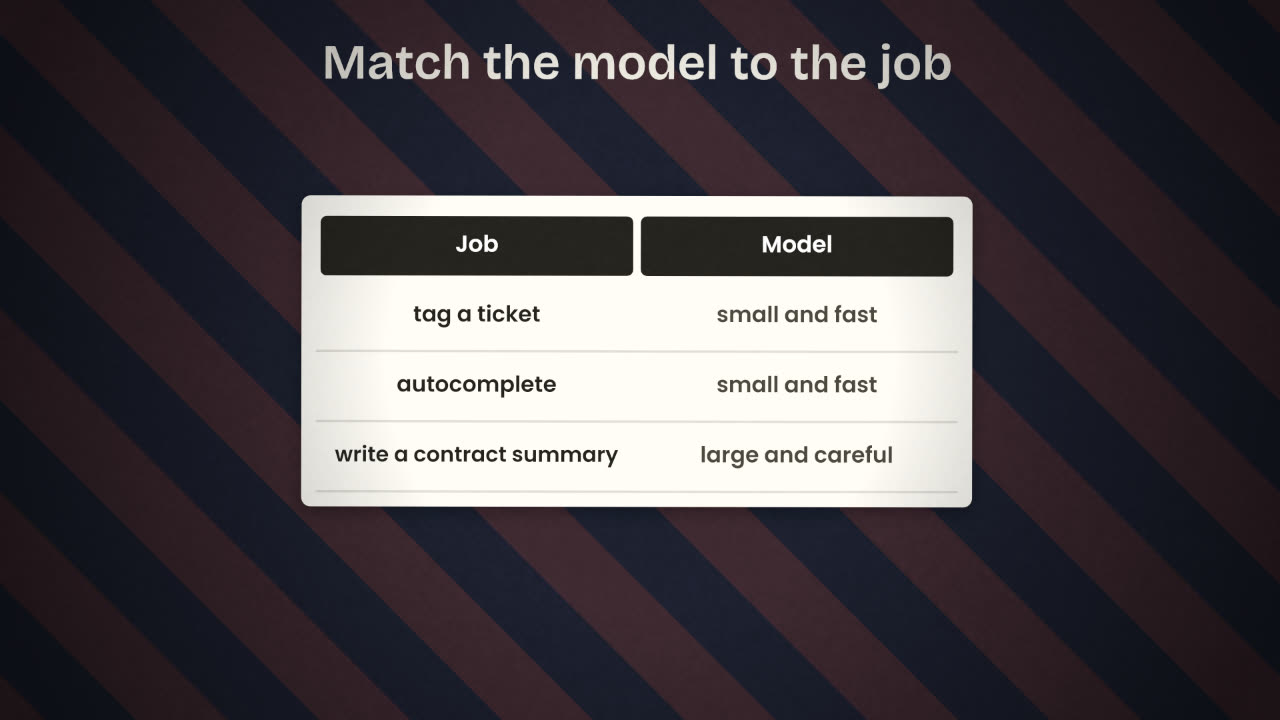
List your AI features
For each: how hard is the thinking, and how long will a user wait?
Try the small model first
On your real test inputs.
Keep the strong model where it earns its cost
Long documents, subtle judgement, anything a mistake makes expensive.
Consider routing
Fast model first; hand over to the strong one when the fast one is unsure or the input is long.
Also on Groq
Speech to text and text to speech, and built-in tools such as code execution and browser search on some models.
Limits
Every provider has rate limits. Read the limits page before you launch.
Data
Check each provider’s terms on what they do with your prompts.
Your invoicing tool has two AI features: (a) suggest a category for each expense as it is typed; (b) write a polite but firm final-notice letter. Which model for each, and why?
Try your AI feature on a fast model
Get a Groq API key. Point your AI feature at Groq by changing the address, key and model, and run your test inputs through both providers. Record speed and quality side by side.
Done when
Keep the provider and model in configuration, not scattered through the code.
Keep these
- Open models can be hosted by many providers.
- Groq is fast and OpenAI-compatible: change the address, key and model.
- Use small fast models for simple jobs, and test before switching.