Vibe Coder · Unit 19: Fine-Tuning a Model · Lesson 3 of 4
Fine-tuning with Unsloth
Train a LoRA on an open model with Unsloth: choose a small base model, load your data, train, watch the loss, test, and export a file you can run in LM Studio.
Read the short notes and pictures.Do everything inside a blue frame.
What you need
You have a dataset. To train you need a base model, a trainer and a graphics card. Unsloth covers the trainer: it is an open source framework for training and running models on your own hardware. It supports LoRA and QLoRA as well as full fine-tuning, works with NVIDIA, AMD, Intel and Apple hardware, and lists support for hundreds of open models, among them gpt-oss, Qwen, Llama, Mistral, Gemma and Phi.
Notebooks
Unsloth publishes ready-made notebooks for each model family. You run the cells in order and change a few lines.
Unsloth Studio
A browser-based interface, installed on your own machine, with desktop apps for macOS, Windows and Linux.
A graphics card
Your own, or a rented or free cloud one through a notebook service. A small model on a modest card is enough to learn on.
Choosing the base
Start small
A small model trains in minutes and runs on a laptop afterwards.
Check the licence
As with image models: can you use the result commercially?
Prefer an instruction-tuned chat model
It already knows how to follow a conversation; you are adjusting its behaviour, not teaching it language.
Try the base model first
Run your hold-out inputs through it untouched. That is your baseline.
The five steps
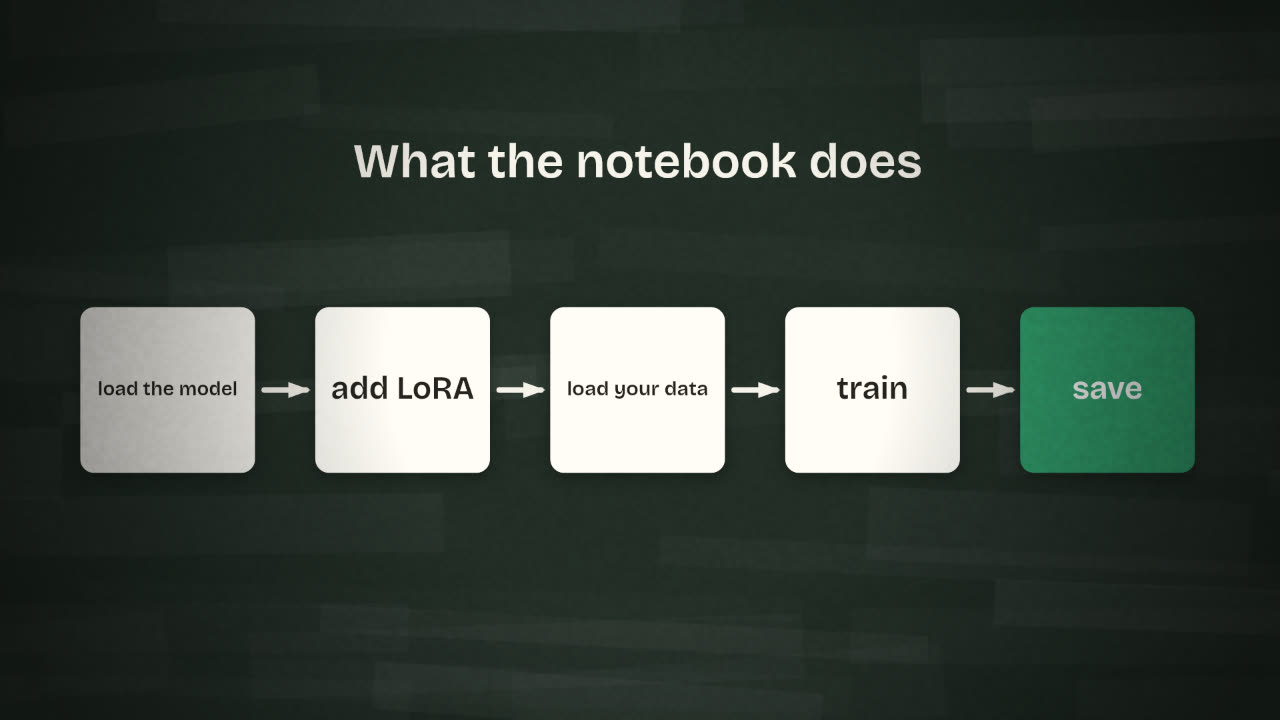
Load the model
The notebook downloads the base model, usually in a compressed 4-bit form to save memory.
Add LoRA adapters
A few settings decide how large the adapter is. Keep the notebook’s defaults for a first run.
Load your data
Point it at your train.jsonl. The notebook applies the model’s chat template so your examples are in the form the model expects.
Train
For a small dataset, a few passes over the data. Minutes, not hours.
Save
The adapter alone, and optionally a merged or exported model.
The settings you will see
r (rank): size of the adapter.
learning rate: how big each step is.
epochs: passes over your data.
max sequence length: longest example.
What to do with them first time
Leave rank at the notebook default.
Leave the learning rate alone.
Use 1 to 3 epochs.
Set length to fit your longest example.
Watching it train
The trainer prints a loss value as it goes: roughly, how wrong the model’s predictions are on your examples. It should fall quickly and then flatten. If it falls to nearly zero, the model is memorising your examples rather than learning the pattern, which is overfitting. Fewer epochs or more varied data is the cure.
Getting it out
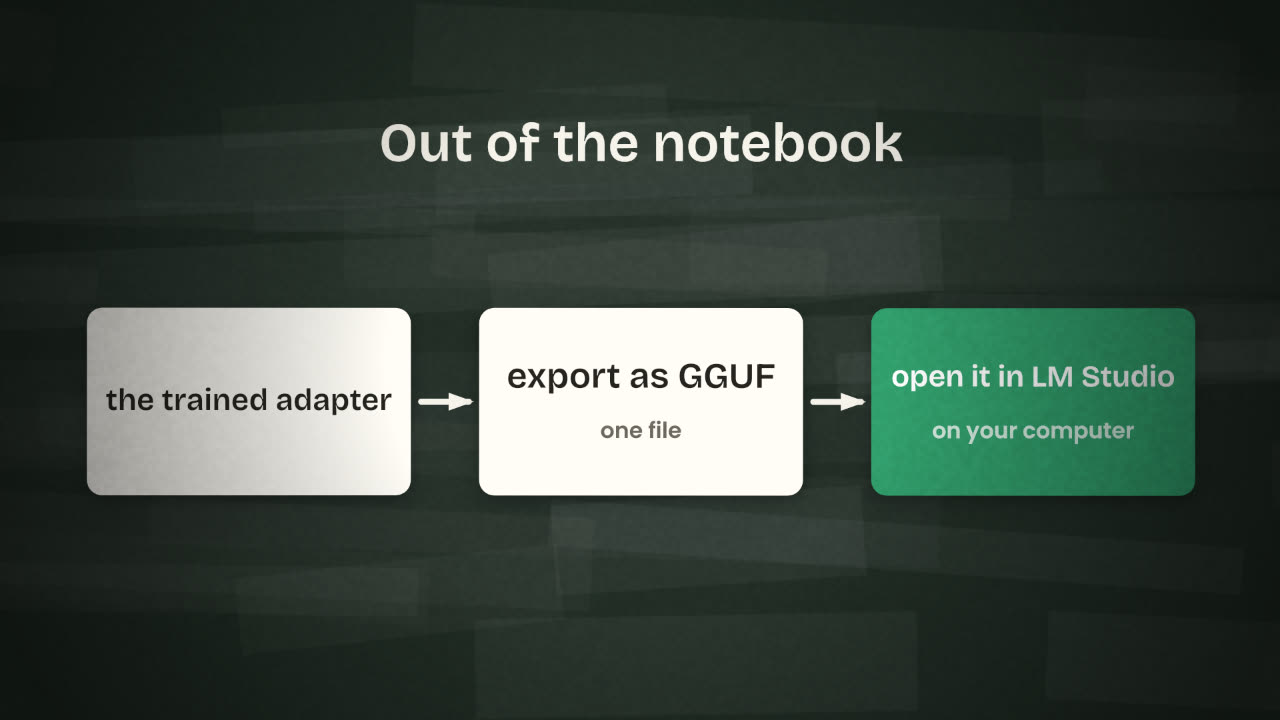
Unsloth can export to GGUF, the file format used by llama.cpp and by LM Studio. Download the file, open it in LM Studio, and you can chat with your tuned model locally and serve it through LM Studio’s OpenAI-compatible local server. Use the same system message you trained with.
Your loss falls to almost zero, and the tuned model repeats one of your training emails word for word whatever you ask. What happened and what two things would you change?
Train your first LoRA on a text model
Open an Unsloth notebook for a small open model. Run your hold-out inputs through the base model and save the outputs. Then train on your train.jsonl, export to GGUF, and load the result in LM Studio.
Done when
Keep the notebook with your settings. It is how you, or anyone, can reproduce the run.
Keep these
- Unsloth trains LoRA adapters on open models from a notebook.
- Load, add LoRA, load data, train, save.
- Export to GGUF and run it in LM Studio.