Vibe Coder · Unit 18: Email, Payments and Commerce · Lesson 3 of 5
Webhooks: know who paid
The only trustworthy sign of a payment is the provider telling your server. Receive the webhook, verify it, update the user, and handle renewals, failures and cancellations.
Read the short notes and pictures.Do everything inside a blue frame.
The question every paid product must answer
After checkout the customer returns to your success page. That is a courtesy, not a fact: the page can be opened by anyone, the browser can close before it loads, and a subscription renews next month with no browser involved at all. The reliable signal is the payment provider calling your server. That call is a webhook, the same idea you built in the n8n unit, pointing the other way.
Events
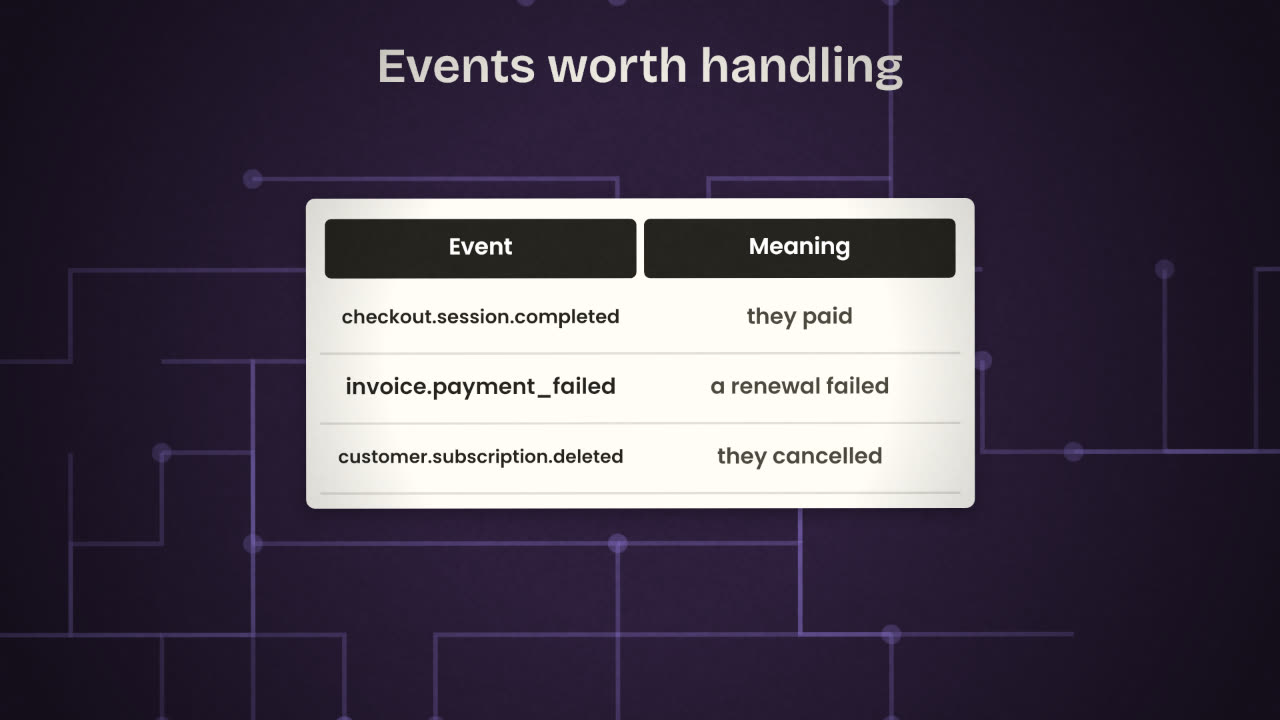
checkout.session.completed
A checkout finished. Give the user what they bought.
invoice.payment_failed
A subscription renewal failed. Warn the user; do not lock them out instantly.
customer.subscription.deleted
A subscription ended. Move the user back to the free plan.
Others
There are many. Handle the few you need and ignore the rest.
Receiving one
Create an endpoint
An address on your server, or an n8n Webhook node. Ask your coding agent for "a Stripe webhook handler".
Register it in Stripe
With the events you want. Stripe gives you a signing secret for that endpoint.
Verify the signature
On every request, before doing anything else.
Find the user
From the id you attached to the checkout session.
Update your database
Plan, status, period end.
Reply with success quickly
Stripe retries if you do not.
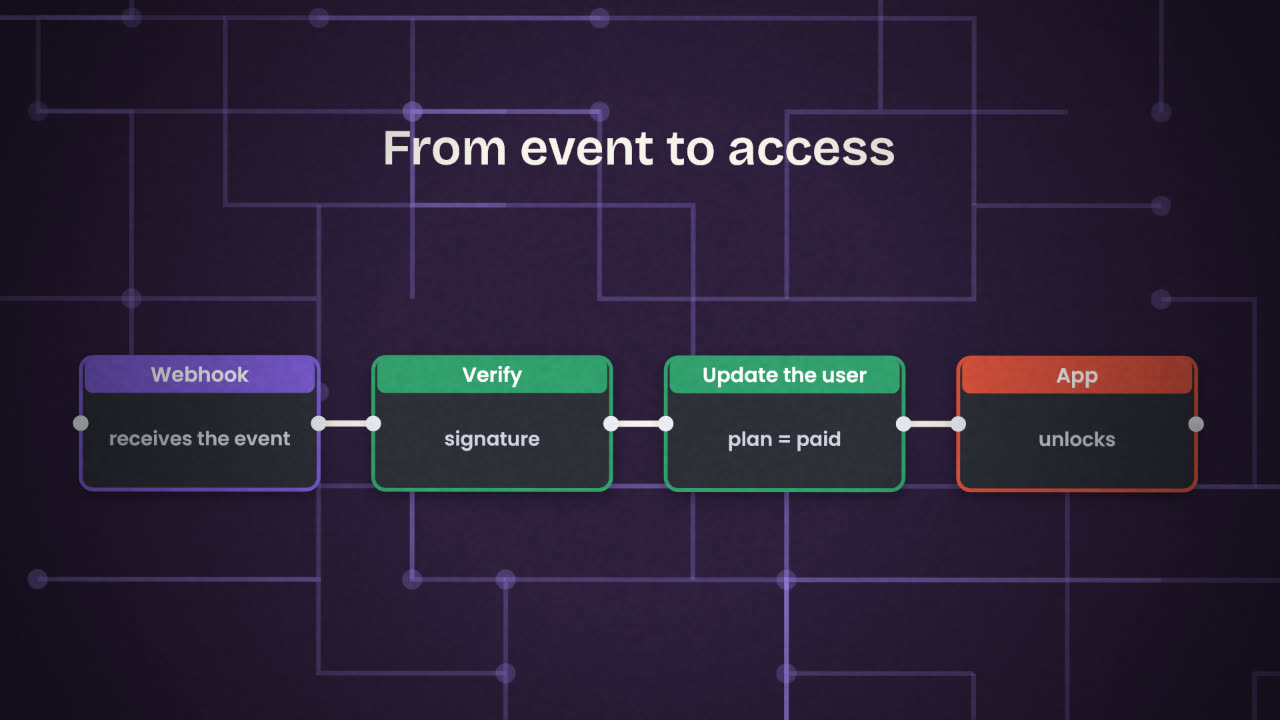
Verify, always
Your webhook address is public. Anyone who finds it can send a fake "payment succeeded". Stripe signs every event using the endpoint’s secret, and its libraries check the signature for you. An event that fails the check is thrown away.
Twice, late and out of order
Fragile
On every "paid" event:
  add 30 days to the user.

(The same event arrives twice:
 the user gets 60 days.)
Robust
On every event:
  if this event id is already saved: stop.
  save the event id.
  set plan = studio
  set period_end = the date in the event.
Testing it
Use the Stripe CLI
It can forward test events to your computer and trigger specific ones.
Pay with the test card
Watch the event arrive and the user’s plan change.
Send a fake event without a signature
It must be rejected.
Trigger a failed renewal and a cancellation
Check that the user ends up in the right state.
A user says "I paid but I am still on the free plan". List what you check, in order.
Unlock paid features from the webhook
Add a Stripe webhook handler that verifies the signature, records the event id, and updates the user’s plan. Make your paid feature depend only on what your database says. Test success, failure and cancellation.
Done when
Write the events you handle, and what each does, into your repository’s README.
Keep these
- The webhook, not the success page, tells you who paid.
- Verify every event’s signature.
- Save event ids and set values, so repeats are harmless.