Vibe Coder · Unit 20: Image Models: Flux, ComfyUI and LoRAs · Lesson 6 of 7
Training a LoRA
A LoRA teaches a model your product, your character or your style from a small set of your own images. What it is, the data it needs, and the settings that matter.
Read the short notes and pictures.Do everything inside a blue frame.
Teaching a model something new
A base model knows mugs in general. It does not know your mug, your mascot or your illustration style. You could describe it in every prompt and hope, or pass reference images each time. When you need the same subject in hundreds of pictures, you train a LoRA.
LoRA stands for low-rank adaptation. Instead of retraining the whole model, which is enormous, training adds a small set of extra weights and adjusts only those. The result is one small file. Load it and the model knows your subject. Remove it and the model is exactly as it was.
Subject LoRA
One product, object or character, shown consistently.
Style LoRA
A way of drawing or photographing: your brand’s illustration style, a colour treatment.
Trigger word
A made-up word, such as "ohwx", that you put in captions and later in prompts to call up what the LoRA learned.
The dataset
The LoRA can only learn what your pictures show. Black Forest Labs’ training guide asks for four things and gives no magic number of images.
High resolution
1024 pixels or more on the short side.
Consistent quality
No blurry, compressed or watermarked images.
Clean
Remove artifacts and anything you do not want learned.
Varied
Different poses, angles, lighting and compositions. If every photo is on a white table, the LoRA learns the white table as part of the subject.
Captions
Each image needs a text file with a caption. The rule from the guide sounds backwards at first: describe everything visible except the thing you are teaching, and include the trigger word every time. What you describe, the model treats as changeable. What you leave to the trigger word, it attaches to that word.
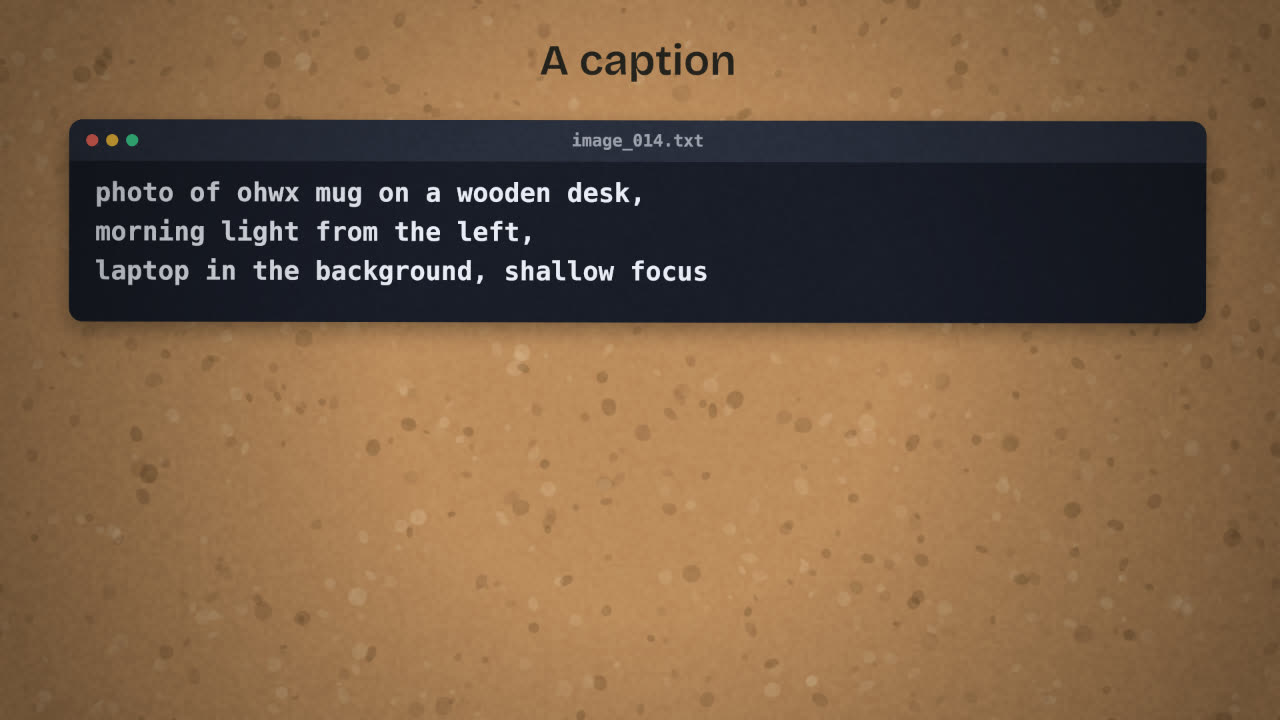
Poor caption
a mug
Good caption
photo of ohwx mug on a wooden desk, morning light from the left, laptop in the background, shallow depth of field
Training
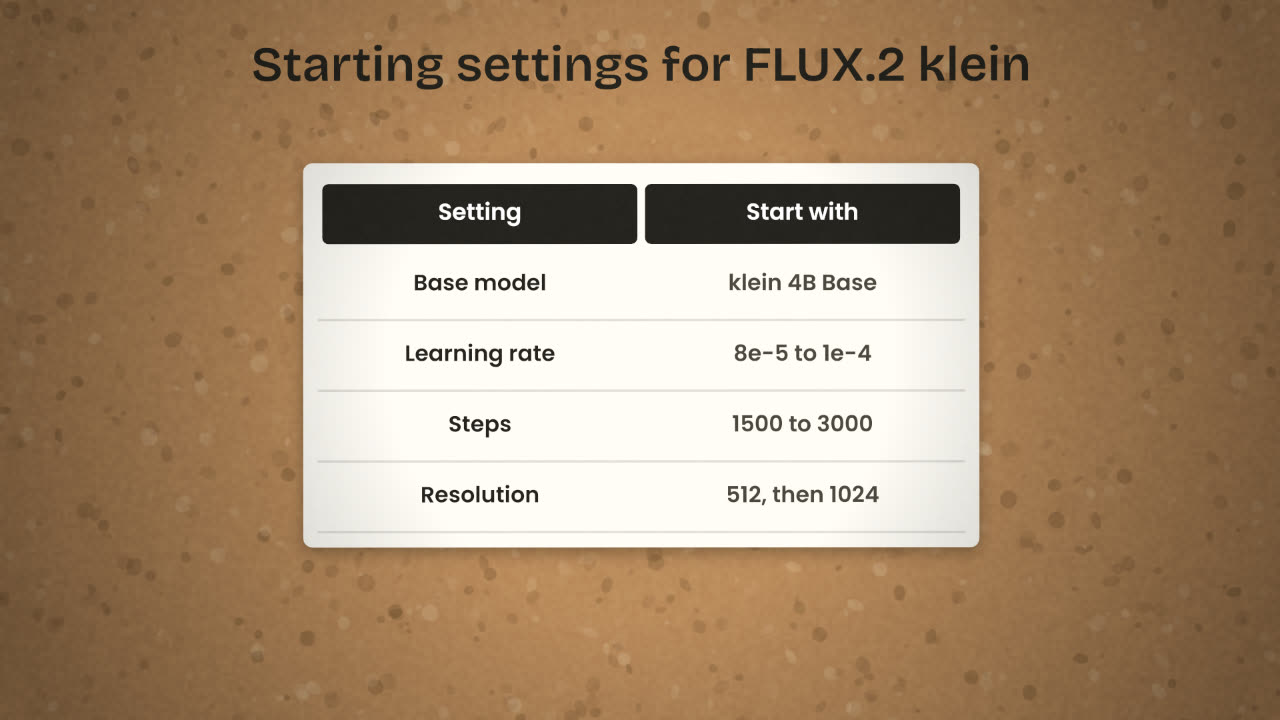
For FLUX.2 klein, the guide names two tools: AI-Toolkit, by Ostris, which has both a screen interface and a command line, and the Diffusers library from Hugging Face. You train on a Base model, which is the undistilled version and suits fine-tuning. The 4B base is the one recommended for most people, and it is the one with the Apache 2.0 licence.
Hardware for 4B
An NVIDIA graphics card with 12GB of video memory and 32GB of system memory.
Hardware for 9B
22GB of video memory and 64GB of system memory.
Learning rate
8e-5 to 1e-4.
Steps
1500 to 2500 for a style, 1500 to 3000 for a character.
Resolution
Start at 512 pixels to iterate quickly. Use 1024 or more for the final run.
Watching it train
The trainer saves sample images as it goes. Early samples ignore your subject. Then it appears. If you keep going too long, the samples start to reproduce your training photos, with the same background and the same angle whatever you ask for. That is overfitting. The best checkpoint is usually an earlier one, where the subject is right and the scene still follows the prompt.
Your LoRA draws your mascot well, but every image has the same blue background as your training pictures, even when you prompt for a forest. Name two likely causes and the fix for each.
Train a LoRA for your product
Choose one subject or style from your image brief. Collect a clean, varied set of images you own, caption each with a trigger word, and train a LoRA on FLUX.2 klein 4B Base with AI-Toolkit or a hosted trainer. Keep the samples.
Done when
Keep the dataset folder and the caption files. They are worth more than the LoRA file, because you can retrain from them.
Keep these
- A LoRA is a small file that teaches a base model your subject or style.
- Varied, clean images and full captions with a trigger word.
- Pick the checkpoint from the samples, before it overfits.