Vibe Coder · Unit 15: Workflows With n8n · Lesson 5 of 6
Calling any API
When there is no node for a service, the HTTP Request node calls its API directly. Read the service’s docs, set the method, address, headers and body, and handle the reply.
Read the short notes and pictures.Do everything inside a blue frame.
When there is no node
n8n ships nodes for a great many services, but not all. Newer tools, smaller tools and regional services often have none. For example, n8n’s list includes Stripe and Shopify, but you may find nothing for the email or payment service you chose. That does not block you. Any service with an API can be called with the HTTP Request node.
What an API call is made of
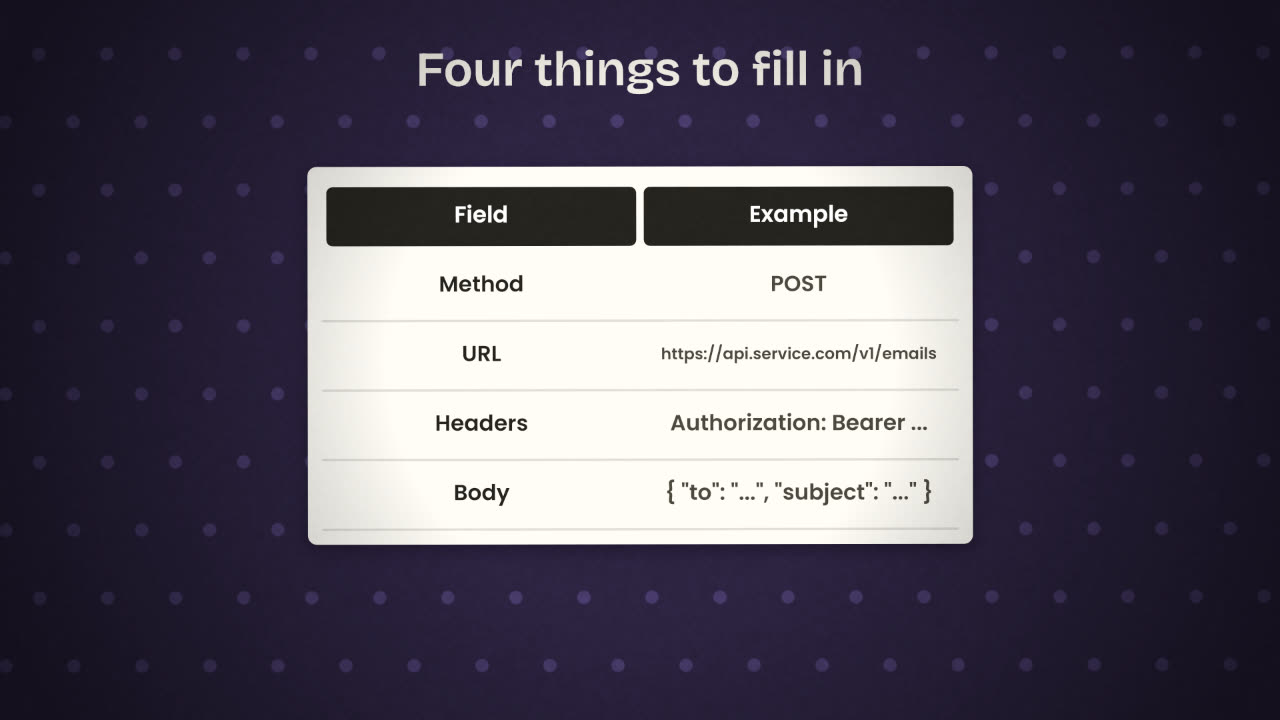
Method
What kind of request: GET to read, POST to create, PATCH or PUT to change, DELETE to remove.
URL
The address of the thing you are calling, called an endpoint.
Headers
Extra information, most importantly who you are: your API key.
Body
The data you are sending, almost always JSON.
From the docs to the node
Find the right page
In the service’s API reference, find the action you want, such as "send an email".
Copy the example request
Docs usually show one as a curl command.
Import or translate it
The HTTP Request node can import a curl command. Or paste it into Claude and ask which value goes in which field.
Replace the sample values
Use expressions for the parts that come from your data.
Run it once
With a safe test value, and read the reply.
In the docs
curl -X POST https://api.service.com/v1/emails \
  -H "Authorization: Bearer KEY" \
  -H "Content-Type: application/json" \
  -d '{"to":"a@b.com","subject":"Hi"}'
In the node
Method:  POST
URL:     https://api.service.com/v1/emails
Auth:    a saved credential
Body:    { "to": {{ $json.email }},
"subject": "Welcome" }Reading the reply
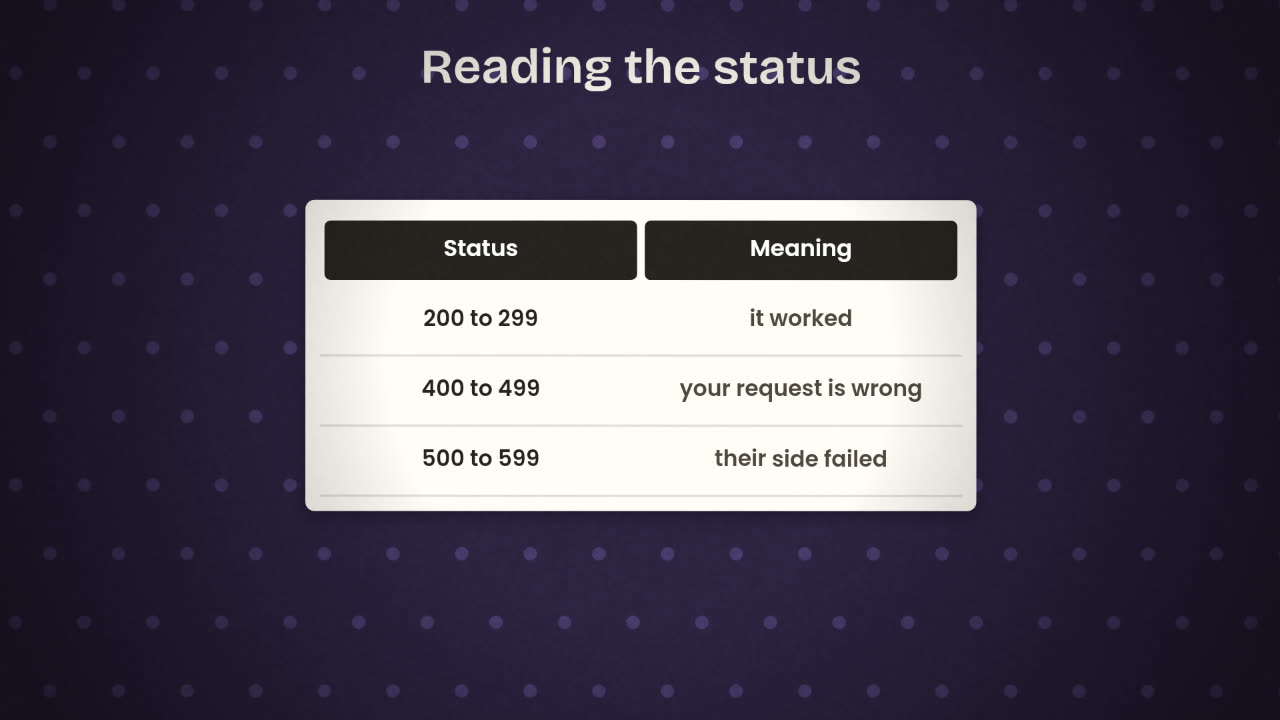
200s
Success. The body holds what you asked for.
401 or 403
The key is missing, wrong, or not allowed to do this.
404
The address is wrong, or the thing does not exist.
422 or 400
The body is not what the service expects. Read the error message; it usually names the field.
429
Too many requests. Slow down or add a wait.
500s
The service failed. Retry later.
An HTTP Request node returns 401. Name three things you would check, in order.
Connect a service that has no node
Pick one service your product needs that has no n8n node, or use the node-free route for one that does. Call it with an HTTP Request node from one of your workflows, using a saved credential.
Done when
Note the endpoint and what it does in your workflow notes.
Keep these
- The HTTP Request node calls any API.
- Method, URL, headers and body come from the docs.
- Keys go in credentials; the status code tells you what went wrong.