Vibe Coder · Unit 15: Workflows With n8n · Lesson 6 of 6
When workflows fail
Workflows fail quietly unless you make them loud. Read failed executions, add retries, build an error workflow that alerts you, and publish your workflows to GitHub.
Read the short notes and pictures.Do everything inside a blue frame.
Automation fails in the dark
When a screen breaks, a user tells you. When a workflow breaks at three in the morning, nobody does. The signup simply never gets its email. The work of this lesson is making sure you find out, and that a failure does as little harm as possible.
Reading a failed execution
Open the executions list
Filter for errors.
Open the failed run
The failing node is marked. Everything before it shows the data that flowed through.
Read the error message
And the input to the failing node. Most failures are a missing field, an expired key or a service that was down.
Fix and re-run
You can run the workflow again from the editor with the same data.
Retries
A node that calls another service can fail for reasons that pass on their own: the service was busy, the network dropped. Node settings let you retry on failure, a set number of times with a pause between tries. Turn that on for nodes that call outside services. Do not use it to hide a real bug.
An error workflow
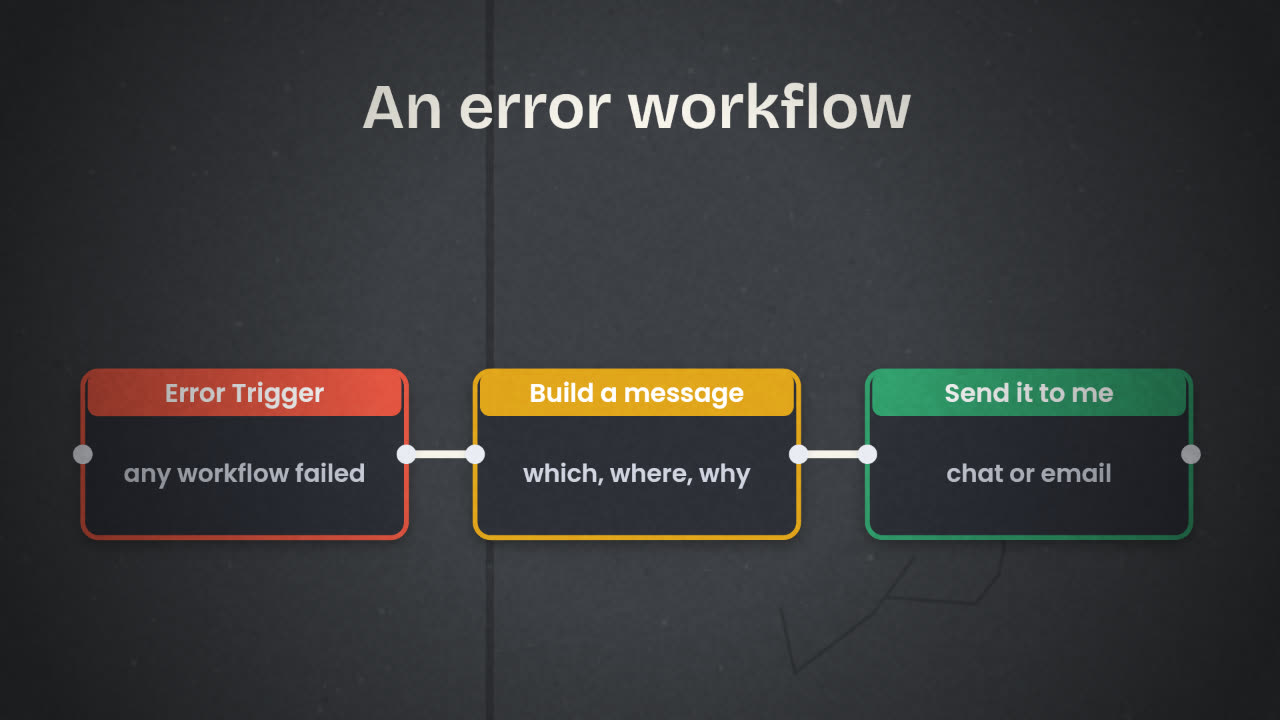
n8n lets you nominate one workflow to run whenever another fails. It starts with an Error Trigger node, which receives the name of the failed workflow, the node and the error. From there, send yourself a message. Set it as the error workflow in the settings of every workflow you publish.
Safe to run twice
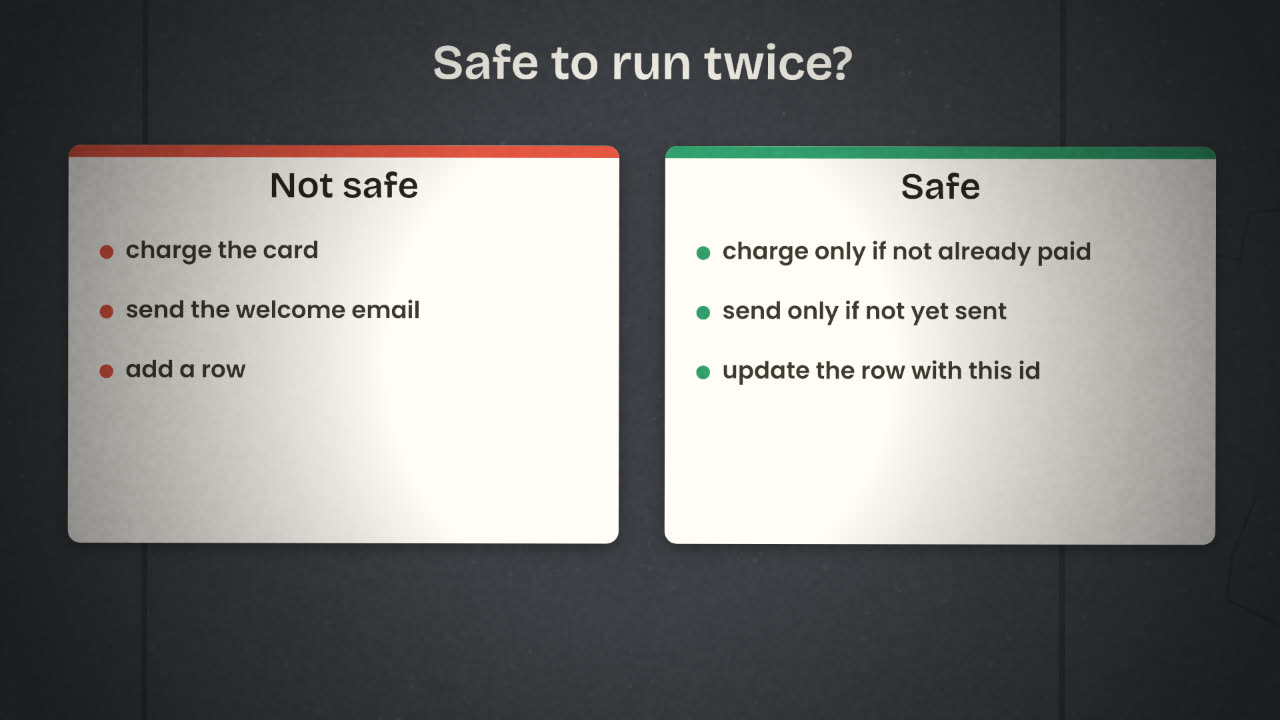
Retries, re-runs and duplicate events all mean a step may happen twice. For a notification that is a small annoyance. For a charge or an email to a customer it is a real problem. The fix is to make each risky step check before it acts.
Use the event’s id
Payment providers send an id with every event. Save it, and skip any event whose id you have already handled.
Update, do not insert
Write to the row with this id rather than always adding a new row.
Record what you sent
A "welcome_sent" column lets the email step skip people who already have it.
Publish your workflows to GitHub
A workflow is part of your product, so it belongs in your repository with the rest. n8n exports any workflow as a JSON file. Credentials are not included in the export, which is what you want.
Export each workflow
From the workflow menu, download it as JSON.
Add them to your repository
In a folder such as workflows/, one file per workflow, named for what it does.
Write a short README
For each workflow: what triggers it, what it does, which credentials it needs, and its webhook request and response shapes.
Commit and push
With a message that says what changed.
Repeat after every change
So the file in GitHub always matches what is running.
Your payment workflow received the same "payment succeeded" event twice and upgraded nobody twice, but it sent two receipts. What one change prevents this?
Harden and publish your workflows
Add an error workflow that messages you, switch on retries for nodes that call outside services, and make your riskiest step safe to run twice. Then export every workflow and push them to your product’s GitHub repository with a README.
Done when
This folder is your back office, in version control. Keep it up to date for the rest of the course.
Keep these
- Failed executions show the node, the data and the error.
- Retry what passes on its own; alert yourself for the rest.
- Make risky steps safe to repeat, and keep workflows in GitHub.