Vibe Coder · Unit 15: Workflows With n8n · Lesson 2 of 6
Your first workflow
Build a real workflow end to end: a signup form comes in, a row is saved, a welcome message goes out. Test each node, then publish.
Read the short notes and pictures.Do everything inside a blue frame.
A workflow worth having
Tutorials often start with a toy. Start instead with something your product needs on day one: handling a new signup. It has every part of a real workflow and you will keep it.
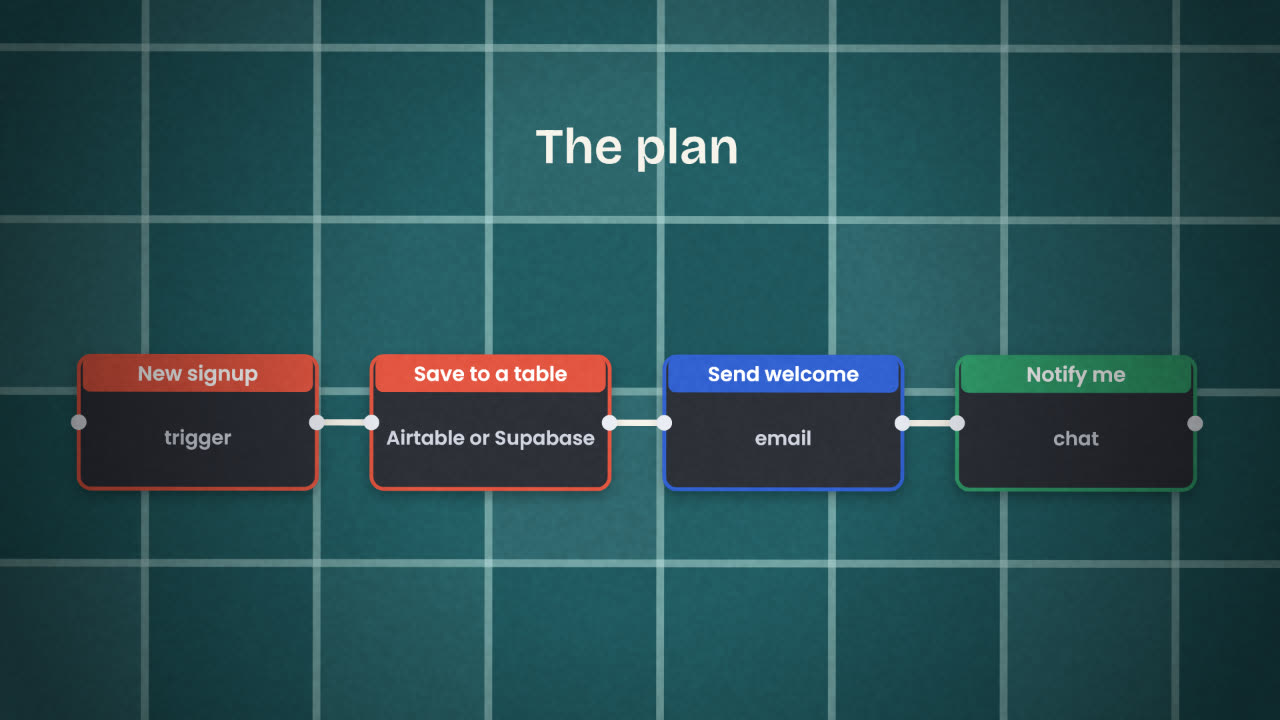
Build it in this order
Create a workflow and add the trigger
For now use a form trigger or the Webhook node, so you can send a test signup yourself.
Run the trigger once
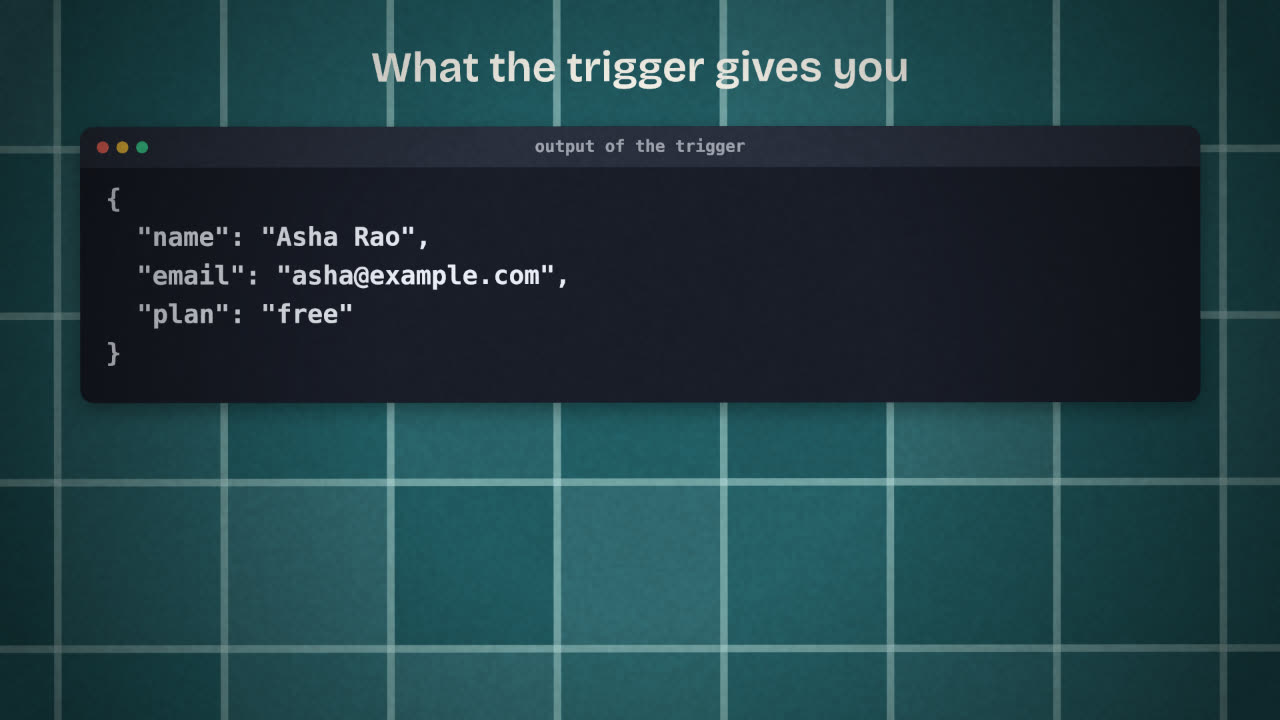
Submit one test signup. Open the node and read its output. This is the data every later node will use.
Add the "save" node
Choose your table’s node: Airtable or Supabase. Create the credential when asked. Map name and email into columns.
Run and check the table
A row should appear. If not, the node shows the error.
Add the welcome message
An email node, or an HTTP Request to your email service. Use the name from the trigger in the text.
Add the notification
A message to yourself in the chat tool you use.
Publish
Until you publish, the workflow only runs when you press the button.
Reading a node’s output
Every node shows you what it received and what it produced. Get used to opening that panel after each run. Most workflow bugs are a field with a different name than you expected, and you can see that immediately in the output.
Credentials
A credential is how n8n is allowed to act in another service for you: an API key or a sign-in. You create it once and any node for that service can use it. Credentials are stored separately from workflows, so sharing a workflow does not share your keys.
Test data and real data
While building
You press Execute.
You use made-up signups.
Emails go to your own address.
After publishing
It runs on every real signup.
Real people get the email.
Mistakes are public.
Your welcome email arrives saying "Hi undefined". Where do you look, and what is the likely cause?
Build the signup workflow
In n8n, build the workflow for a new signup: trigger, save a row, send a welcome message, notify yourself. Test it with three different signups and then publish it.
Done when
Export the workflow as a JSON file and keep it. It goes into your repository later in this unit.
Keep these
- Start with the trigger and read its output.
- Add one node, run, check, then add the next.
- Publish when every node works with odd inputs too.